How to Find the Ranking Gaps Your Current Maps Analytics Is Missing
How to Find the Ranking Gaps Your Current Maps Analytics Is Missing
If you are relying on the standard “Performance” tab in your Google Business Profile dashboard to measure your success, I have some difficult news for you: you are looking at a lie. Or, at the very least, a highly sanitized version of the truth. Most business owners see “Total Views” or “Search Appearances” trending upward and assume their google business profile seo is firing on all cylinders. But these metrics are vanity numbers that mask the “dead zones” where your competitors are quietly siphoning off your leads.
Google Maps is not a static directory; it is a hyper-local, fluid grid that changes based on the user’s precise GPS coordinates. Research from Rankmax indicates that 46% of all Google searches have local intent, yet the vast majority of businesses fail to realize that a single “Average Rank” number is mathematically impossible in a proximity-based ecosystem. You might rank #1 while sitting at your desk, but move three blocks to the left, and you’ve vanished from the Map Pack. This blog will expose the hidden gaps in your current analytics and show you how to rank higher on google maps by uncovering the data Google doesn’t want you to see.
The Illusion of “Average Rank” (Why Standard Tracking Fails)
The biggest mistake in local marketing is treating Google Maps like traditional organic search. In standard SEO, a keyword has a relatively stable ranking across a city or region. In local SEO, “rank” is a variable of distance. If you use a traditional keyword tracker that pings Google from a single IP address or a generic zip code center, you are getting a false positive. You are seeing a snapshot of one specific point in space, which is why standard rank tracking fails to measure real local SEO success.
To truly rank google business profile assets effectively, you must account for “Map Pack” volatility. This volatility is driven by the fact that Google constantly tests different businesses in the top three spots to see which one generates the highest engagement. If your tracker tells you that you are “Average Rank 2.4,” it is likely averaging a #1 rank at your doorstep with a #20 rank just half a mile away. This “average” tells you nothing about where your potential customers actually are. To get a real picture, you need a google maps rank tracker that utilizes a grid-based system, showing you exactly where your “authority boundary” ends. Without this granular data, you are flying blind, unaware that you are losing 70% of your potential market share to a competitor who has better coverage just outside your immediate vicinity.
Standard analytics also fail to account for the “Searcher Intent Shift.” A user searching for “plumber” while at home has a different intent than a user searching for “plumber” while standing in a hardware store. Google understands this context, but your basic dashboard does not. This is the first major gap: the failure to visualize the geographic drop-off of your visibility.
Proximity vs. Prominence: Identifying Your “Authority Boundary”
Google’s local algorithm is built on three pillars: Relevance, Distance, and Prominence. While you have limited control over Distance (proximity), your goal is to make your Prominence so high that it overrides the proximity of your competitors. Every business has an “Authority Boundary” – the physical limit where your ranking drops from the coveted top 3 into the “More Places” abyss (usually rank #4 to #10 and beyond).
Identifying this boundary is critical. If your rankings fall off a cliff exactly 1.2 miles from your office, that is a gap that needs to be closed. Often, your business profile is stuck on page two while competitors thrive because they have built more “local prominence” in those specific outlying neighborhoods. This prominence isn’t just about backlinks; it’s about how many people in that specific neighborhood are interacting with your profile.
To identify these gaps, you must look for the “Ranking Cliff.” Use a google maps ranking service to run a 13×13 grid search around your location. Look for the transition points where green pins (Rank 1-3) turn to yellow (Rank 4-7) and then red (Rank 8+). These transition zones are where your leads are dying. By identifying these specific physical coordinates, you can tailor your content, local citations, and even your “service area” settings to push that boundary further out. Remember, “Distance” creates a ranking ceiling, but “Prominence” is the only thing that can break it. If a competitor two miles away is outranking you in your own backyard, it’s not a proximity issue – it’s a prominence gap.
The 2026 Engagement Gap: The Signals Your Dashboard Doesn’t Show
As we move into the 2026 local search landscape, the algorithm has shifted significantly. Static citations and basic keyword stuffing are no longer the primary drivers of rank. Google’s 2026 algorithm prioritizes real-world user interaction over almost everything else. Your current dashboard shows you “Views,” but it doesn’t show you “Dwell Time” or “Interaction Depth.” These are the “hidden” signals that determine who stays in the Map Pack.
One of the most powerful new metrics is “Map Zoom-In Persistence.” This occurs when a user sees your business on a map, zooms in to see exactly where you are located, and stays on that zoomed-in view for more than 10 seconds. This signal tells Google that your location is a high-intent destination. This is why map zoom-in persistence is a top 2026 ranking signal. If users are finding you but quickly zooming back out or panning away, Google perceives your listing as irrelevant or unappealing, leading to a ranking drop that basic analytics won’t explain.
Another critical factor is “User-Led Map Panning.” When a user searches for a service and then manually pans the map toward your business location specifically, it sends a massive authority signal. There are 7 ways user-led map panning spikes 2026 engagement SEO, primarily because it demonstrates that the user is actively seeking you out, rather than just clicking the first result Google serves.
Furthermore, we must look at “Profile Product Clicks.” If you have products listed on your Google Business Profile, the interaction with those items acts as a proxy for relevance. Profile product clicks drive your 2026 ranking signals by proving to the algorithm that your business offers the specific solution the user needs. Finally, pay attention to “Incomplete Direction Requests.” This is when a user clicks “Directions” but doesn’t actually hit “Start.” While this might seem like a lost lead, Google views the intent of wanting directions as a positive signal – but if it happens too often without a follow-through, it could indicate that your physical location is perceived as too difficult to reach or in a “bad” area, creating a ranking gap based on perceived accessibility.
Emerging signals like “Menu Interaction Depth” (for restaurants) and “Map Layer Toggles” (users switching to satellite view to see your parking lot) are also becoming weighted factors. Even the “Want to Go” signal – where a user saves your business to a personal list – is now a top-tier authority marker. If your current analytics don’t track these interactions, you are missing the “why” behind your ranking fluctuations.
Competitor Whitespace: Finding What Your Rivals Overlooked
To rank google business profile listings effectively, you can’t just focus on your own data; you must find the “whitespace” your competitors have left behind. This is the essence of a gmb ranking service strategy: finding the gaps in the market that are ripe for the taking. Most businesses set their categories once and forget them. They use the most obvious primary category and ignore the 10 secondary categories that could be driving traffic.
Perform a “Competitor Analysis for Overcrowded Markets” by looking at the attributes your rivals are missing. Are they neglecting their “Service Attributes”? Do they have “Ghosted Call Buttons” that don’t work after hours? Are they failing to respond to “Q&A” sections? These are all opportunities for you to gain an edge. Use google maps optimization strategies to identify the specific keywords your competitors are ranking for that you aren’t. Often, you’ll find that a competitor is dominating a specific neighborhood not because they are “better,” but because they have more “Review Velocity” (the speed at which they gain new reviews) or more “Review Diversity” (reviews mentioning specific services you also offer but haven’t highlighted).
Look for sneaky moves your local competitors use to steal map visibility, such as keyword-stuffing their business name (which is against TOS but often effective until reported) or using “User-Added Location Tags” to associate their business with popular nearby landmarks. By identifying these gaps in their strategy – or areas where they are vulnerable – you can position your profile to capture the “spillover” traffic they are missing.
The 15-Minute Audit: A Checklist for Hidden Ranking Blocks
Sometimes the gaps aren’t about what you’re missing in the algorithm, but what is broken in your foundation. A google business profile audit tool is essential for catching these small but lethal errors. I recommend a 15-minute weekly audit to ensure no new “Ranking Blocks” have appeared. Google often “suggests” edits to your profile based on third-party data, and if you don’t reject them, they can change your phone number, hours, or even your business name, causing an immediate drop in rankings.
Here is a quick checklist of 7 overlooked errors in your google maps ranking checklist:
- NAP Consistency: Ensure your Name, Address, and Phone number are identical across the web. Even a “St.” vs “Street” discrepancy can sometimes cause a “trust gap” in the 2026 algorithm.
- Ghosted Call Buttons: Check if your call button actually works on mobile. If users click it and immediately hang up because of a routing error, your “Call to Click” ratio plummets.
- Inaccurate Pin Location: If your map pin is even 50 feet off, it can affect proximity-based searches.
- Unanswered Q&A: Unanswered questions are a signal of neglect.
- Missing Service Areas: If you are a service-based business, ensure your service areas don’t overlap in a way that triggers a “spam” filter.
- Duplicate Listings: Even a “closed” duplicate listing can cannibalize your authority.
- Small Listing Errors: Check for how to spot the small errors killing your google maps click volume, such as incorrect holiday hours or missing “Attributes” like “Wheelchair Accessible” or “Black-owned.”
Using a google business profile audit tool can automate much of this, but the human eye is still necessary to ensure your brand voice and “Visual Prominence” (your photos and videos) are up to date. Photos are a huge “Engagement Gap” source; listings with more than 100 photos receive 520% more directions requests than the average business. If you haven’t uploaded a photo in 30 days, you have a gap.
Closing the Gaps: Actionable Steps for 2026
Once you’ve identified the gaps, you need to close them using advanced local seo tools. The 2026 landscape requires more than just “optimization”; it requires “Engagement Engineering.” You need to actively encourage the types of behaviors that Google now uses to validate authority.
Start by focusing on “Map Query Refinement.” This is when a user searches for something broad like “Lawyer,” and then clicks a suggested filter like “Personal Injury” or “Near Me.” If your profile is optimized for these refinements, you capture a much higher intent user. We know that map query refinement is a key 2026 ranking signal. You can influence this by ensuring your “Services” menu is exhaustive and uses the exact terminology Google suggests in the “People Also Search For” section.
Additionally, leverage “User-Added Location Tags.” Encourage your customers to check in at your location on social media and upload photos directly to your Google profile with geo-tags enabled. This creates a “Location Cluster” of data that confirms your physical presence to Google’s AI. Use local seo tools to track your “Share of Voice” in specific neighborhoods. If you see a gap in a high-value area, consider running a hyper-local Google Search Ad that targets that specific zip code to “jumpstart” the engagement signals in that zone. The algorithm notices when people start clicking on a business in a specific area, and it will often reward that business with higher organic Map Pack rankings in that same area over time.
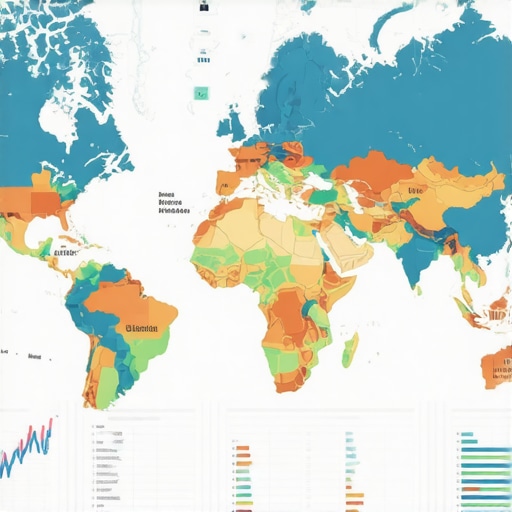
Finally, utilize a google maps ranking service that doesn’t just give you a report, but gives you a heatmap. Visualization is the only way to truly understand the “gaps.” When you see a red hole in the middle of your green service area, you know exactly where to focus your next local outreach or ad campaign.
Conclusion
Don’t settle for “good enough” analytics. The “Average Rank” is a myth, and your standard dashboard is only showing you the tip of the iceberg. To truly dominate your local market, you must look deeper into the geographic dead zones and the 2026 engagement signals that your competitors are ignoring. By identifying your Authority Boundary, closing the “Engagement Gap,” and fixing the small errors that kill click volume, you can turn your Google Business Profile into a lead-generating machine that covers the entire map, not just your front parking lot.
The map is always moving. If you aren’t actively looking for the gaps, you can bet your competitors are. Use a professional google maps ranking service to visualize your grid today and start claiming the territory you didn’t even know you were losing. The future of local SEO isn’t just about being “found” – it’s about being the most engaged-with destination on the map.